

Note
Go to the end to download the full example code or to run this example in your browser via Binder.
Workflow with Feflowlib: Hydraulic model - conversion, simulation and post-processing#
In this example we show how a simple flow/hydraulic FEFLOW model can be converted to a pyvista.UnstructuredGrid and then be simulated in ot.
Necessary imports
import numpy as np
import pyvista as pv

import ogstools as ot
from ogstools.examples import feflow_model_box_Neumann
from ogstools.feflowlib import FeflowModel
1. Load a FEFLOW model (.fem) as a FeflowModel object to further work it. During the initialisation, the FEFLOW file is converted.
temp_dir = ot.definitions.temp_dir("feflow_test_simulation", "examples")
feflow_model = FeflowModel(feflow_model_box_Neumann, temp_dir / "boxNeumann")
pv.global_theme.colorbar_orientation = "vertical"
feflow_model.mesh.plot(
    show_edges=True,
    off_screen=True,
    scalars="P_HEAD",
    cpos=[0, 1, 0.5],
    scalar_bar_args={"position_x": 0.1, "position_y": 0.25},
)
print(feflow_model.mesh)
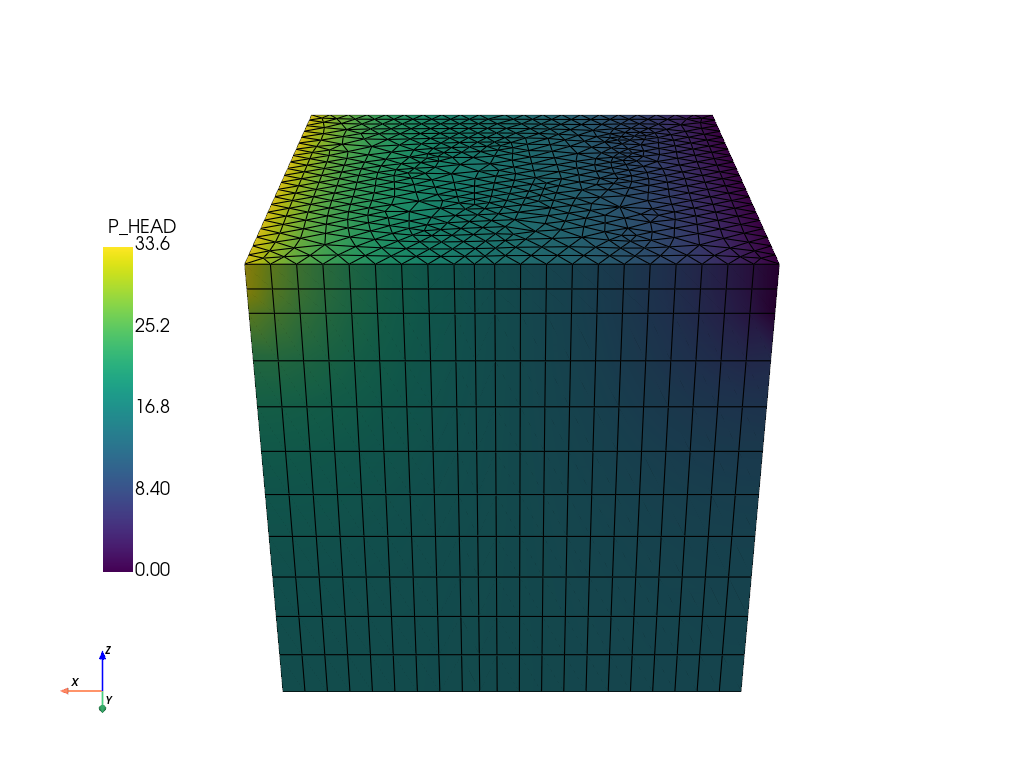
UnstructuredGrid (0x7f57dda59720)
  N Cells:    11462
  N Points:   6768
  X Bounds:   0.000e+00, 1.000e+02
  Y Bounds:   0.000e+00, 1.000e+02
  Z Bounds:   -1.000e+02, 0.000e+00
  N Arrays:   23
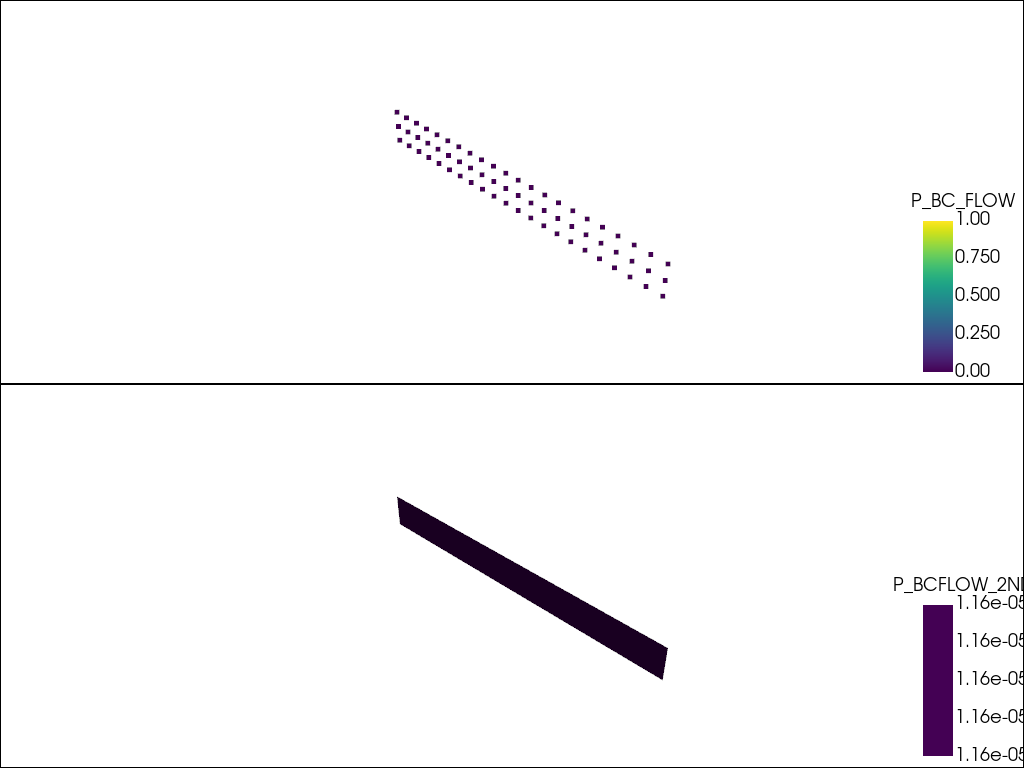
Extract the subdomains conditions.
subdomains = feflow_model.subdomains
# Since there can be multiple boundary conditions in the subdomains,
# they are plotted iteratively.
plotter = pv.Plotter(shape=(len(subdomains), 1))
for i, (name, boundary_condition) in enumerate(subdomains.items()):
    # topsurface refers to a cell based boundary condition.
    if name != "topsurface":
        plotter.subplot(i, 0)
        plotter.add_mesh(boundary_condition, scalars=name)
plotter.show()
Define endtime and time stepping in the project-file.
feflow_model.setup_prj(
    end_time=int(1e8),
    time_stepping=[(1, 10), (5, 100), (10, 1000), (10, 1e6), (1, 1e7)],
)
Run the model
feflow_model.run()
 ogs  -o . /tmp/ogstools_root/examples/feflow_test_simulation4ff923b9f298402fba4a529cca2270c8/boxNeumann.prj
['ogs', '-o', '.', '/tmp/ogstools_root/examples/feflow_test_simulation4ff923b9f298402fba4a529cca2270c8/boxNeumann.prj']
Read the results and plot them.
ms = ot.MeshSeries(temp_dir / "boxNeumann.pvd")
# Read the last timestep:
ogs_sim_res = ms.mesh(ms.timesteps[-1])
"""
It is also possible to read the file directly with pyvista:
ogs_sim_res = ot.mesh.read(temp_dir / "boxNeumann_ts_1_t_1.000000.vtu")
"""
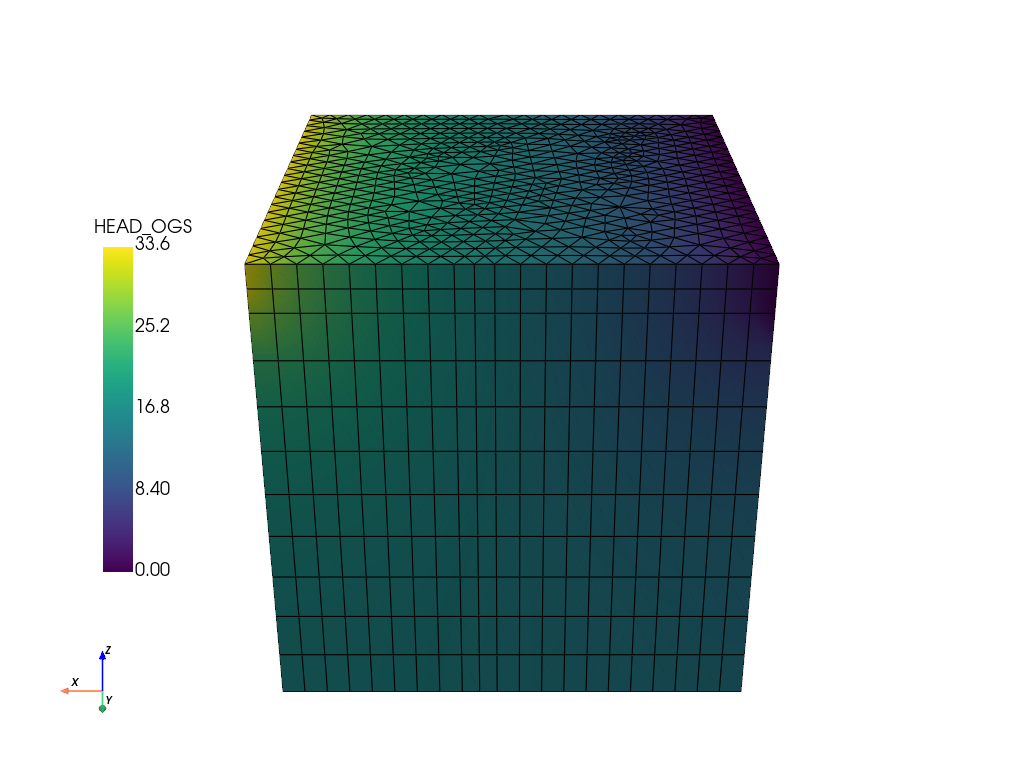
ogs_sim_res.plot(
    show_edges=True,
    off_screen=True,
    scalars="HEAD_OGS",
    cpos=[0, 1, 0.5],
    scalar_bar_args={"position_x": 0.1, "position_y": 0.25},
)
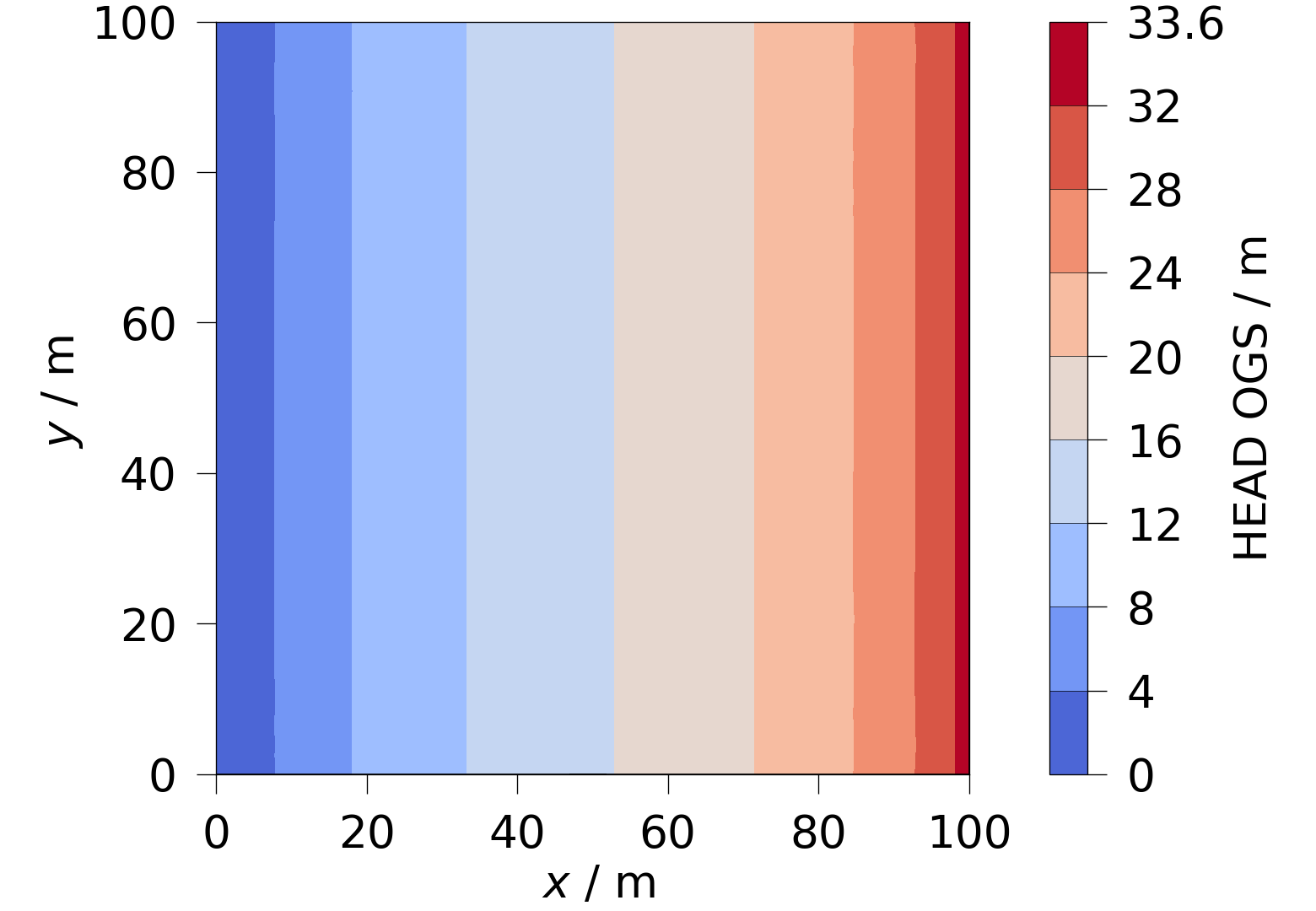
5.1 Plot the hydraulic head simulated in OGS with ogstools.plot.contourf.
head = ot.variables.Scalar(data_name="HEAD_OGS", data_unit="m", output_unit="m")
fig = ot.plot.contourf(ogs_sim_res.slice(normal="z", origin=[50, 50, 0]), head)
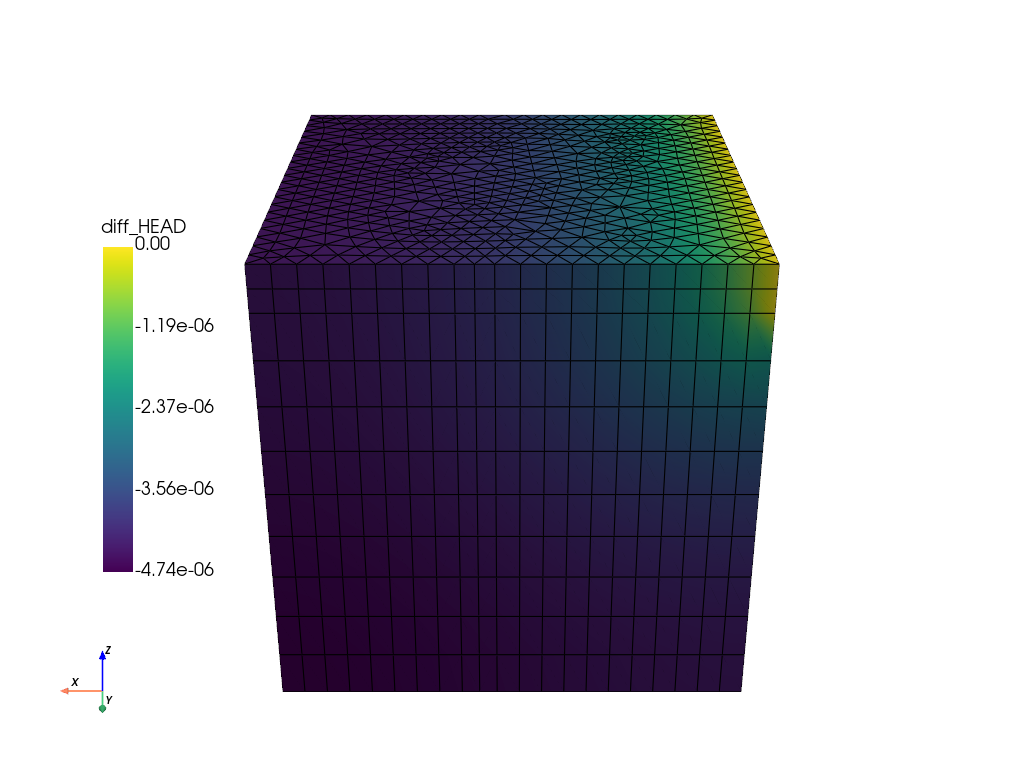
Calculate the difference to the FEFLOW simulation and plot it.
diff = feflow_model.mesh["P_HEAD"] - ogs_sim_res["HEAD_OGS"]
feflow_model.mesh["diff_HEAD"] = diff
feflow_model.mesh.plot(
    show_edges=True,
    off_screen=True,
    scalars="diff_HEAD",
    cpos=[0, 1, 0.5],
    scalar_bar_args={"position_x": 0.1, "position_y": 0.25},
)
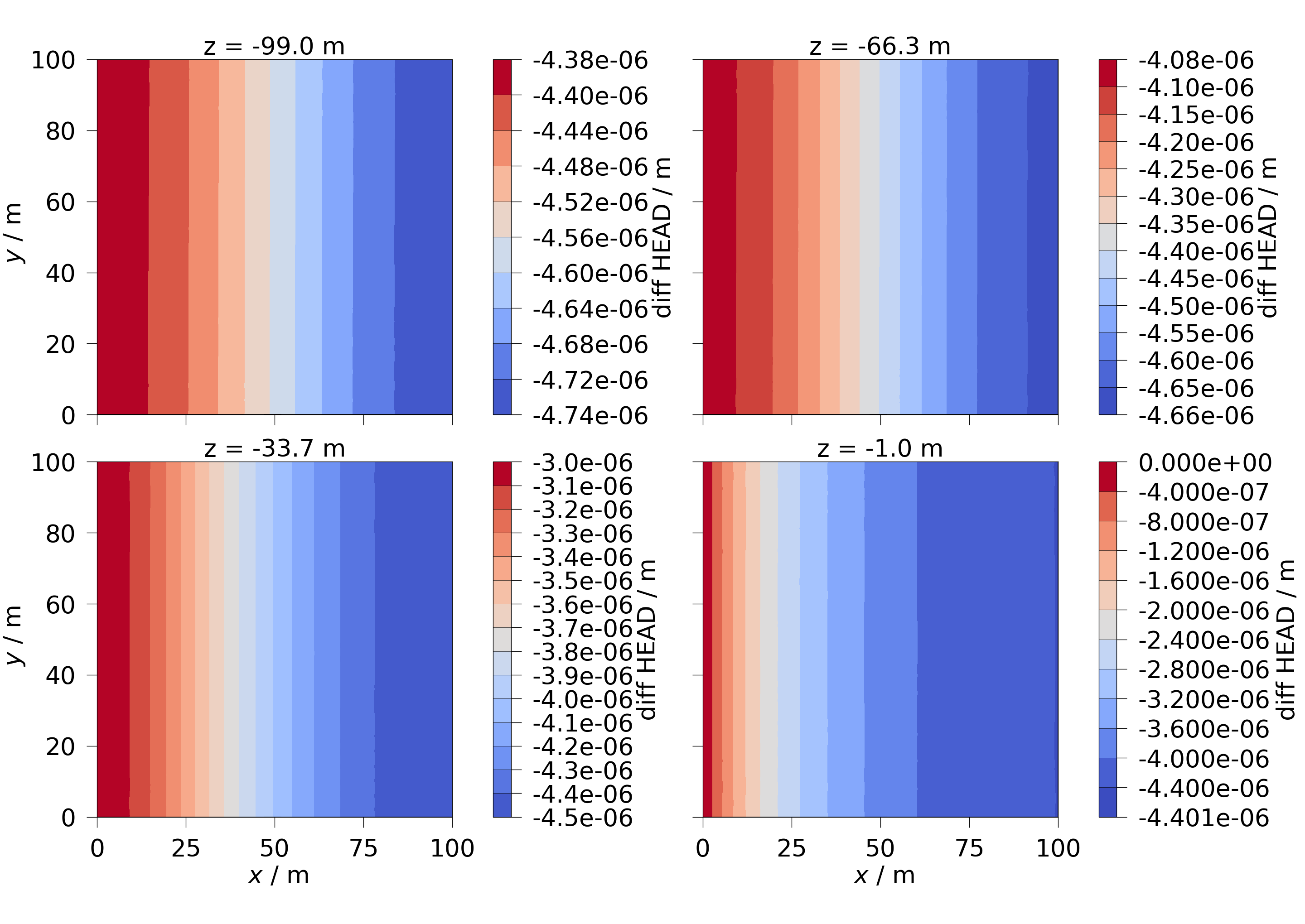
6.1 Plot the differences in the hydraulic head with ogstools.plot.contourf.
Slices are taken along the z-axis.
diff_head = ot.variables.Scalar(
    data_name="diff_HEAD", data_unit="m", output_unit="m"
)
slices = np.reshape(
    list(feflow_model.mesh.slice_along_axis(n=4, axis="z")), (2, 2)
)
fig = ot.plot.contourf(slices, diff_head)
for ax, slice in zip(fig.axes, np.ravel(slices), strict=False):
    ax.set_title(f"z = {slice.center[2]:.1f} m", fontsize=32)
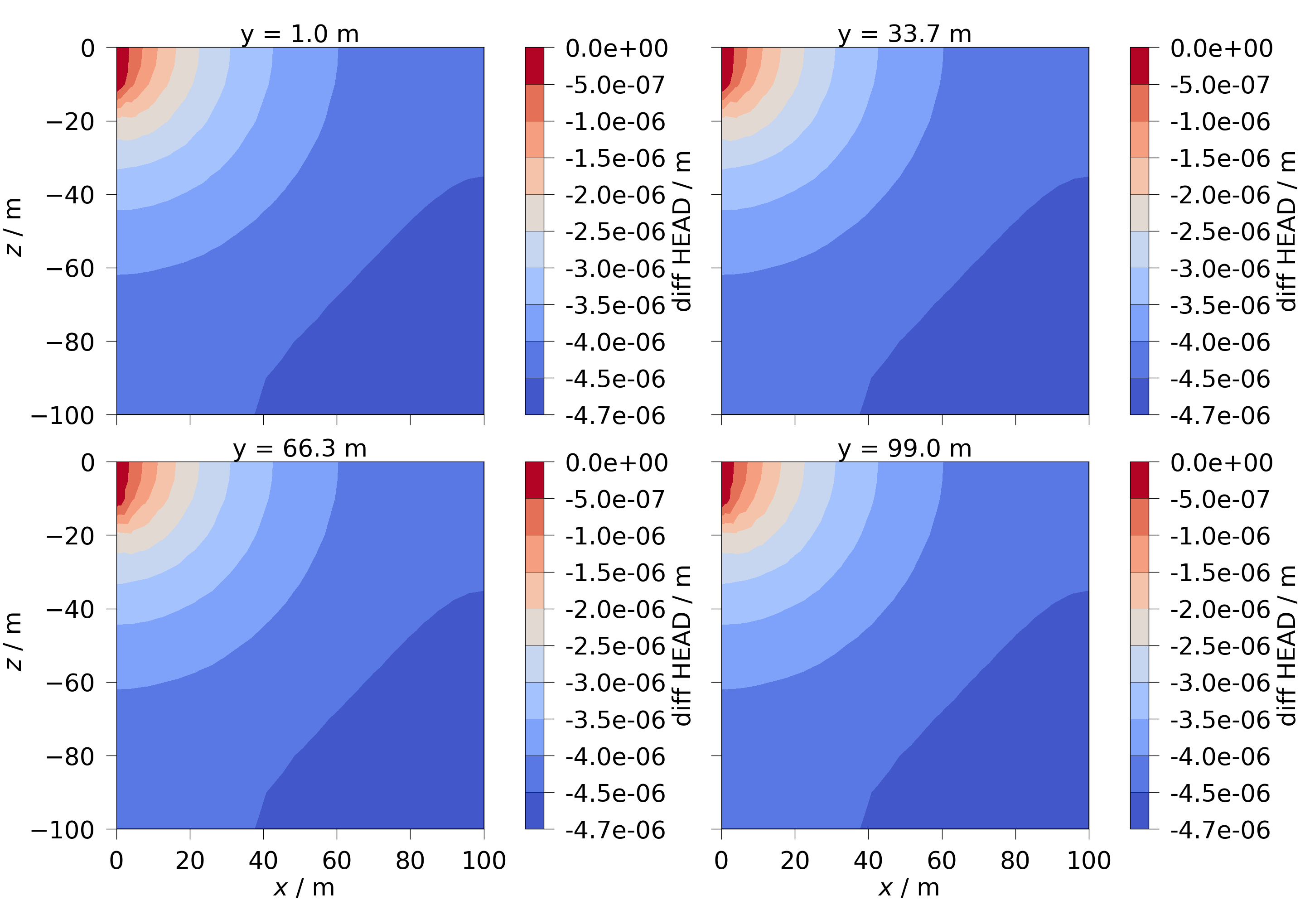
6.2 Slices are taken along the y-axis.
slices = np.reshape(
    list(feflow_model.mesh.slice_along_axis(n=4, axis="y")), (2, 2)
)
fig = ot.plot.contourf(slices, diff_head)
for ax, slice in zip(fig.axes, np.ravel(slices), strict=False):
    ax.set_title(f"y = {slice.center[1]:.1f} m", fontsize=32)
Total running time of the script: (0 minutes 5.945 seconds)
