

Note
Go to the end to download the full example code or to run this example in your browser via Binder.
Extracting boundaries of a 2D mesh#
There are situations, when you have a 2D domain mesh, but not the corresponding boundary meshes (e.g. when extracting a slice from a 3D model). But you need them to properly set boundary conditions. For those cases ogstools provides a function to generate the individual boundary meshes from the domain mesh or from a continuous boundary mesh.
import ogstools as ot
from ogstools import examples

domain = examples.load_meshseries_THM_2D_PVD()[0]
We can generate the boundary meshes from the given example in the following
way and get a dictionary of name and mesh pairs per edge. For details, have a
look into the documentation:
Meshes. from_mesh().
top UnstructuredGrid (0x7f0df2fe1ea0)
  N Cells:    83
  N Points:   84
  X Bounds:   -1.400e+03, 8.200e+03
  Y Bounds:   4.064e+01, 8.672e+01
  Z Bounds:   6.700e+03, 6.700e+03
  N Arrays:   0
bottom UnstructuredGrid (0x7f0df2fe1540)
  N Cells:    83
  N Points:   84
  X Bounds:   -1.400e+03, 8.200e+03
  Y Bounds:   -1.403e+03, -8.125e+02
  Z Bounds:   6.700e+03, 6.700e+03
  N Arrays:   0
left UnstructuredGrid (0x7f0df2fe2080)
  N Cells:    44
  N Points:   45
  X Bounds:   -1.400e+03, -1.400e+03
  Y Bounds:   -1.403e+03, 4.186e+01
  Z Bounds:   6.700e+03, 6.700e+03
  N Arrays:   0
right UnstructuredGrid (0x7f0df2fe2680)
  N Cells:    44
  N Points:   45
  X Bounds:   8.200e+03, 8.200e+03
  Y Bounds:   -8.125e+02, 6.280e+01
  Z Bounds:   6.700e+03, 6.700e+03
  N Arrays:   0
Let’s display and save them:
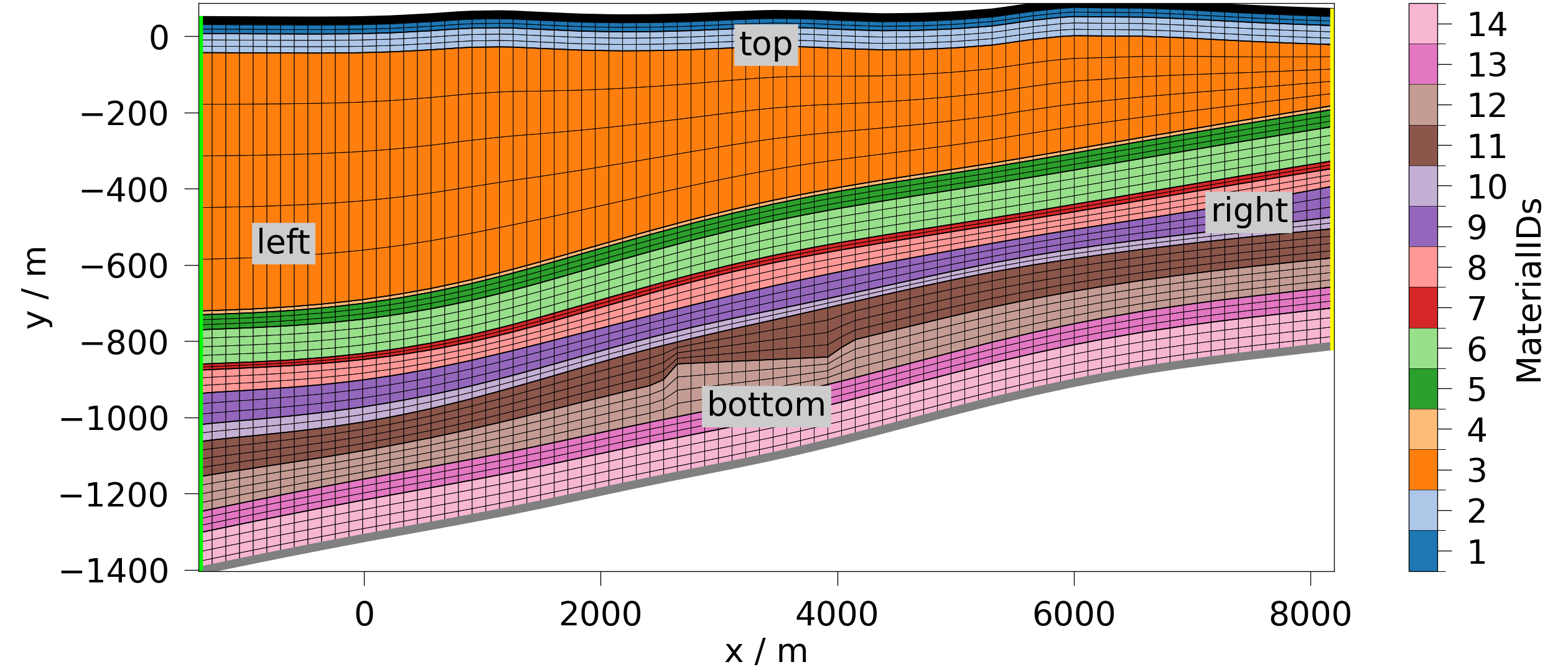
meshes.save() # optionally, provide a path
[PosixPath('/tmp/ogstools_root/Meshes/20260903_083721_091796/domain.vtu'), PosixPath('/tmp/ogstools_root/Meshes/20260903_083721_091796/bottom.vtu'), PosixPath('/tmp/ogstools_root/Meshes/20260903_083721_091796/left.vtu'), PosixPath('/tmp/ogstools_root/Meshes/20260903_083721_091796/right.vtu'), PosixPath('/tmp/ogstools_root/Meshes/20260903_083721_091796/top.vtu'), PosixPath('/tmp/ogstools_root/Meshes/20260903_083721_091796/meta.yaml')]
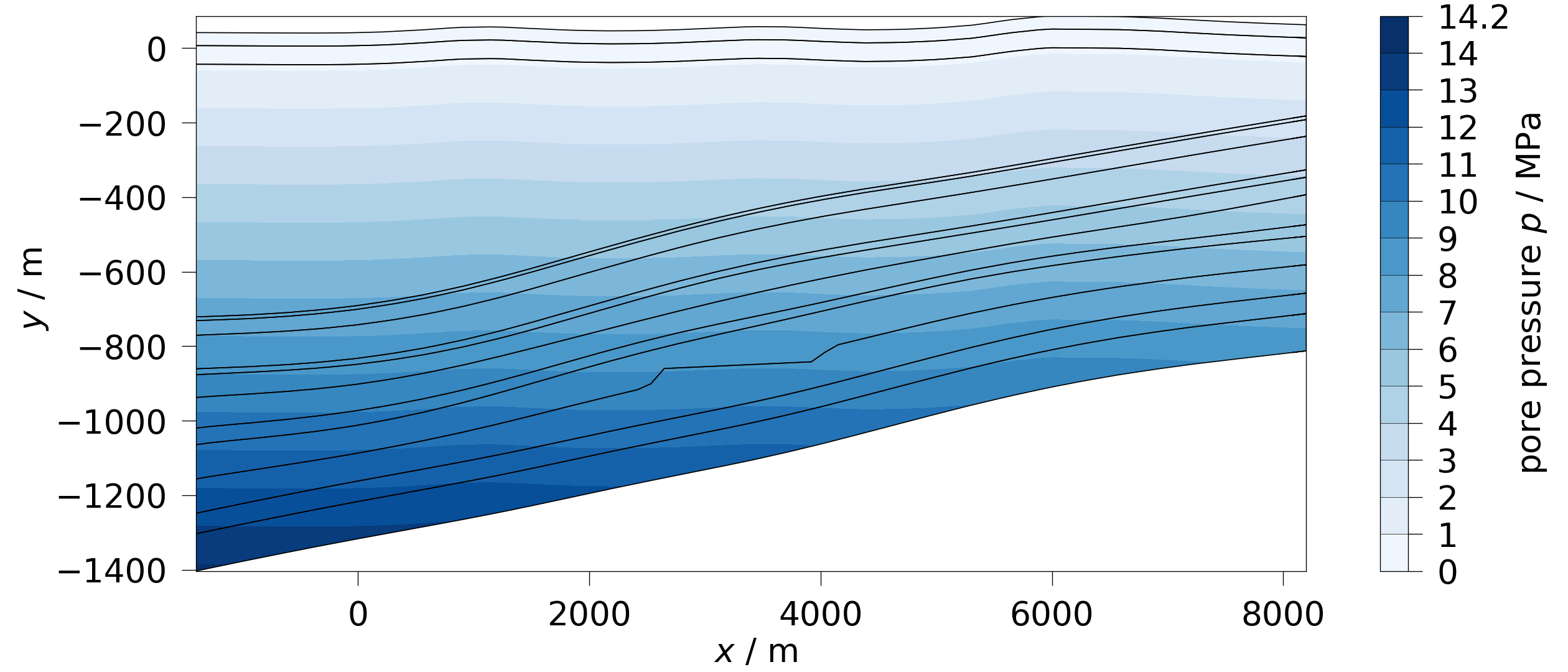
By having the top mesh as a boundary, you can calculate a depth-based water column as an initial conditions or for calculations of integrity criteria
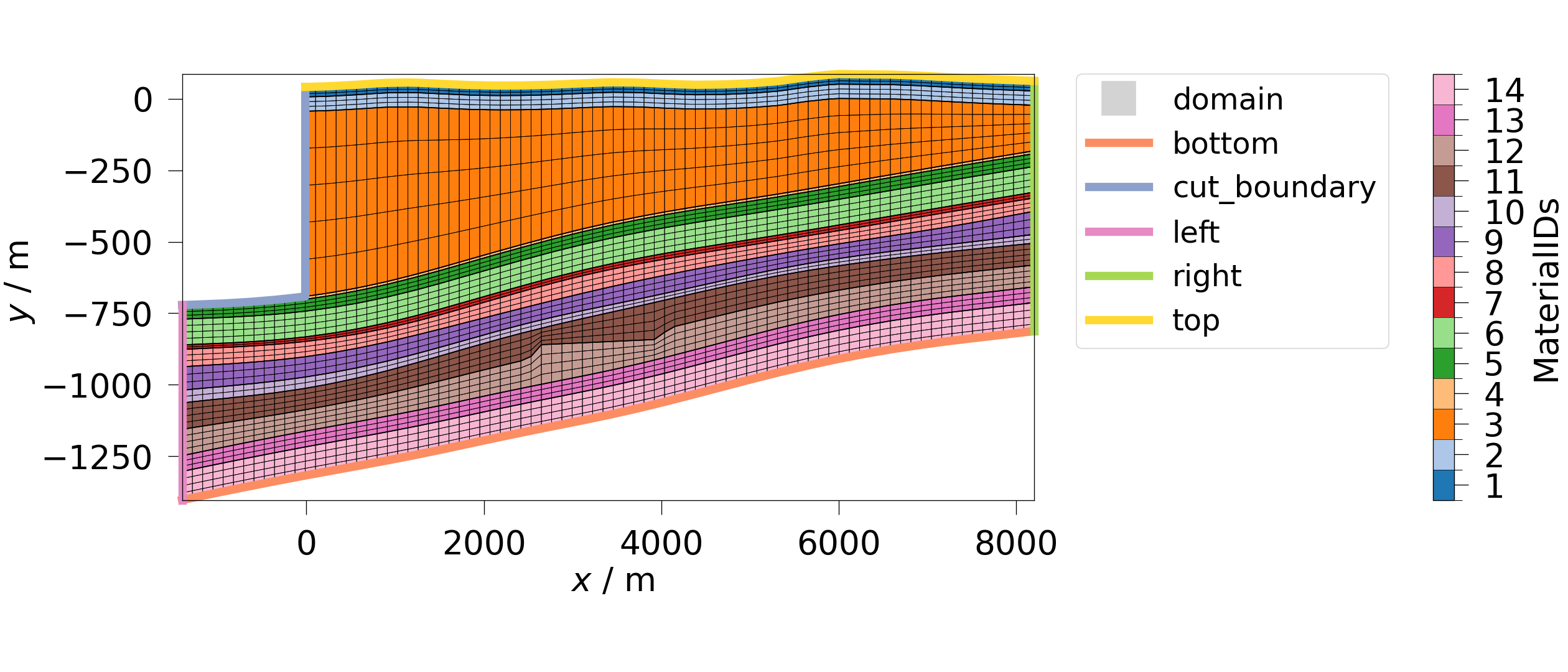
If you need to model an excavation or similar, the Meshes class provides
the useful method remove_material() which removes a
specified material from the domain and updates the boundary meshes
accordingly. The following example is only for demonstration and is not meant
to make practical sense.
Total running time of the script: (0 minutes 2.039 seconds)
