

Note
Go to the end to download the full example code or to run this example in your browser via Binder.
Variable presets and data transformation#
ogstools.variables provides classes (Scalar, Vector, Matrix) which
encapsulate unit handling and data transformation for simplified processing of
mesh data. There are also several predefined variables.
import ogstools as ot
from ogstools import examples

ot.variables.get_dataframe()
Scalar, Vector and Matrix inherit from the class Variable with its
transform() function.
This function converts the argument from data_unit to output_unit and
applies a function if specified. In this case we convert from K to °C:
ot.variables.temperature.transform(273.15, strip_unit=False)
You can also create your own variables by creating a Scalar, Vector or Matrix variable. The following doesn’t do any unit conversion.
custom_temperature = ot.variables.Scalar(
    data_name="temperature", data_unit="K", output_unit="K"
)
custom_temperature.transform(273.15, strip_unit=False)
Or use existing presets as a template and replace some parameters:
custom_temperature = ot.variables.temperature.replace(output_unit="°F")
custom_temperature.transform(273.15, strip_unit=False)
Components of Vector variables and Matrix variables can be accessed with
bracket indexing. Vector variables
should be of length 2 or 3 corresponding to the dimension.
Matrix variables likewise should be of
length 4 [xx, yy, zz, xy] or 6 [xx, yy, zz, xy, yz, xz].
ot.variables.displacement[1].transform([0.01, 0.02, 0.03], strip_unit=False)
ot.variables.strain["xx"].transform(
    [0.01, 0.02, 0.03, 0.04, 0.05, 0.06], strip_unit=False
)
Magnitude of a 2D displacement vector:
ot.variables.displacement.magnitude.transform([0.03, 0.04], strip_unit=False)
We suggest specifying the variables and their transformations once.
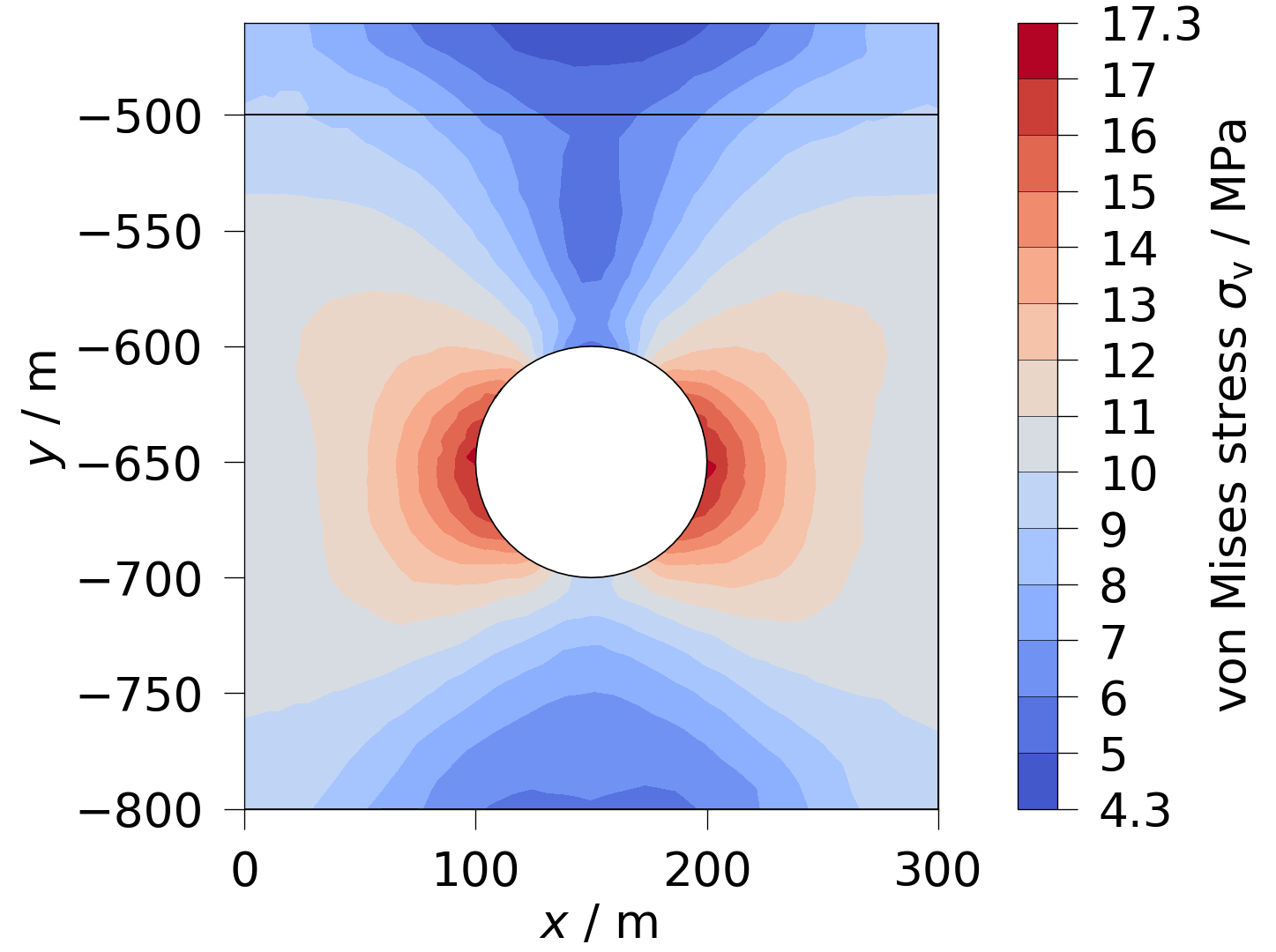
These can be reused in different kind of post processing. When plotting
with ogstools.plot we can use these presets to simplify the
task of processing the data (e.g. calculate the von Mises stress):
Some variables store functions with arguments or parameters.
ot.variables.fluid_pressure_criterion.function
Function(callable=<function fluid_pressure_criterion at 0x7f0e2b5c5f80>, args=['pressure'], params={'biot': 1.0})
These can be changed in the following way.
create a copy of the variables to not modify the original:
fpc = ot.variables.fluid_pressure_criterion.copy()
fpc.function.params["biot"] = 0.6  # change a parameter
fpc.function
Function(callable=<function fluid_pressure_criterion at 0x7f0e2b5c5f80>, args=['pressure'], params={'biot': 0.6})
Have a look at Plotting the data for more examples.
Total running time of the script: (0 minutes 0.201 seconds)
