

Note
Go to the end to download the full example code or to run this example in your browser via Binder.
Modifying integration point data in bulk meshes#
import numpy as np

import ogstools as ot
from ogstools import examples
Looking at the original integration point data#
A bulk mesh file is loaded. It already contains IP data.
mesh = ot.mesh.read(examples.mechanics_2D)
ip_data = ot.mesh.IPdata(mesh)
with np.printoptions(precision=2):
    print(ip_data.info)
{'sigma_ip': IPdict(order=2, num_components=4, values=
pyvista_ndarray([[ -7987910.41, -18461460.32, -10186589.92,   2921306.85],
                 [ -7640889.57, -18208899.37,  -9853812.67,   2937028.72],
                 [ -7602079.8 , -18188409.8 ,  -9817763.32,   2940074.05],
                 ...,
                 [ -1281262.73, -10831452.68,  -3367376.43,     54694.16],
                 [ -1058147.92, -10608337.87,  -3144261.63,     54694.16],
                 [ -1228033.93, -10778223.88,  -3314147.64,     54694.16]],
                shape=(6960, 4))),
 'epsilon_ip': IPdict(order=2, num_components=4, values=
pyvista_ndarray([[ 8.35e-04, -3.95e-03,  0.00e+00,  1.01e-03],
                 [ 8.35e-04, -3.95e-03,  0.00e+00,  1.01e-03],
                 [ 8.35e-04, -3.95e-03,  0.00e+00,  1.01e-03],
                 ...,
                 [ 3.87e-04, -1.39e-03,  0.00e+00,  1.02e-05],
                 [ 3.87e-04, -1.39e-03,  0.00e+00,  1.02e-05],
                 [ 3.87e-04, -1.39e-03,  0.00e+00,  1.02e-05]],
                shape=(6960, 4))),
 'epsilon_m_ip': IPdict(order=2, num_components=4, values=
pyvista_ndarray([[ 1.14e-03, -3.64e-03,  3.03e-04,  1.01e-03],
                 [ 1.16e-03, -3.63e-03,  3.22e-04,  1.01e-03],
                 [ 1.16e-03, -3.62e-03,  3.24e-04,  1.01e-03],
                 ...,
                 [ 4.25e-04, -1.35e-03,  3.81e-05,  1.02e-05],
                 [ 4.38e-04, -1.34e-03,  5.08e-05,  1.02e-05],
                 [ 4.29e-04, -1.35e-03,  4.11e-05,  1.02e-05]],
                shape=(6960, 4)))}
Let’s visualize the trace of the integration point stresses on an artificial mesh where each integration point corresponds to one cell.
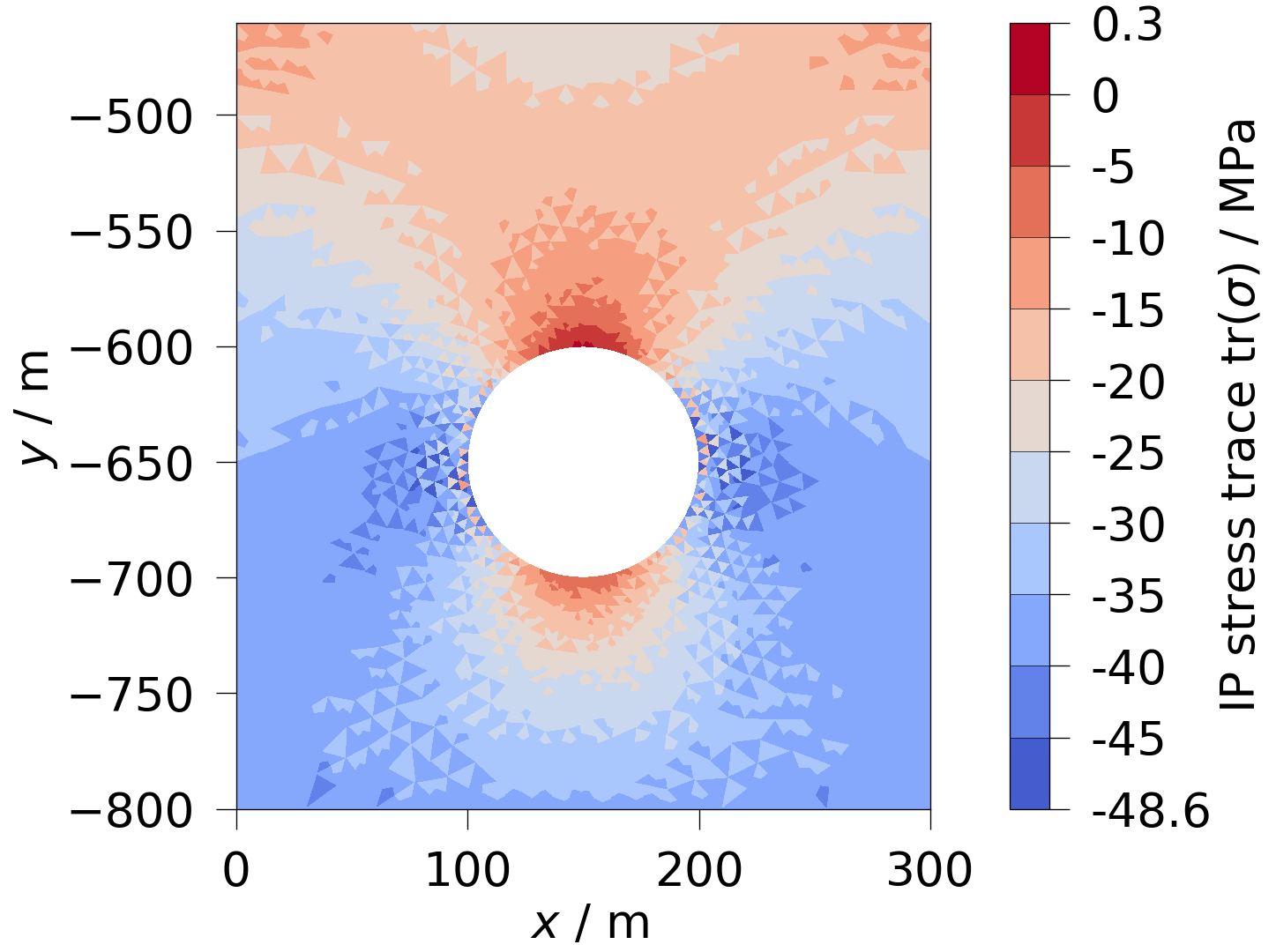
There are multiple ways in which you can modify the integration point data.
Deleting existing integration point data#
del ip_data["epsilon_m_ip"]
Adding new integration point data#
const = np.full(ip_mesh.n_cells, 0.0)
isotropic = np.full((ip_mesh.n_cells, 4), [1, 1, 1, 0])
ip_data.set("new_scalar", order=2, num_components=1, values=const)
ip_data.set("new_tensor", order=2, num_components=4, values=isotropic)
Modifying existing integration point data#
ip_data["epsilon_ip"].values *= 0
A more complex example: We reduce the first three components of the integration point stresses close to the hole by using a mask based on the distance to the hole’s center.
Modify integration point data of a material group#
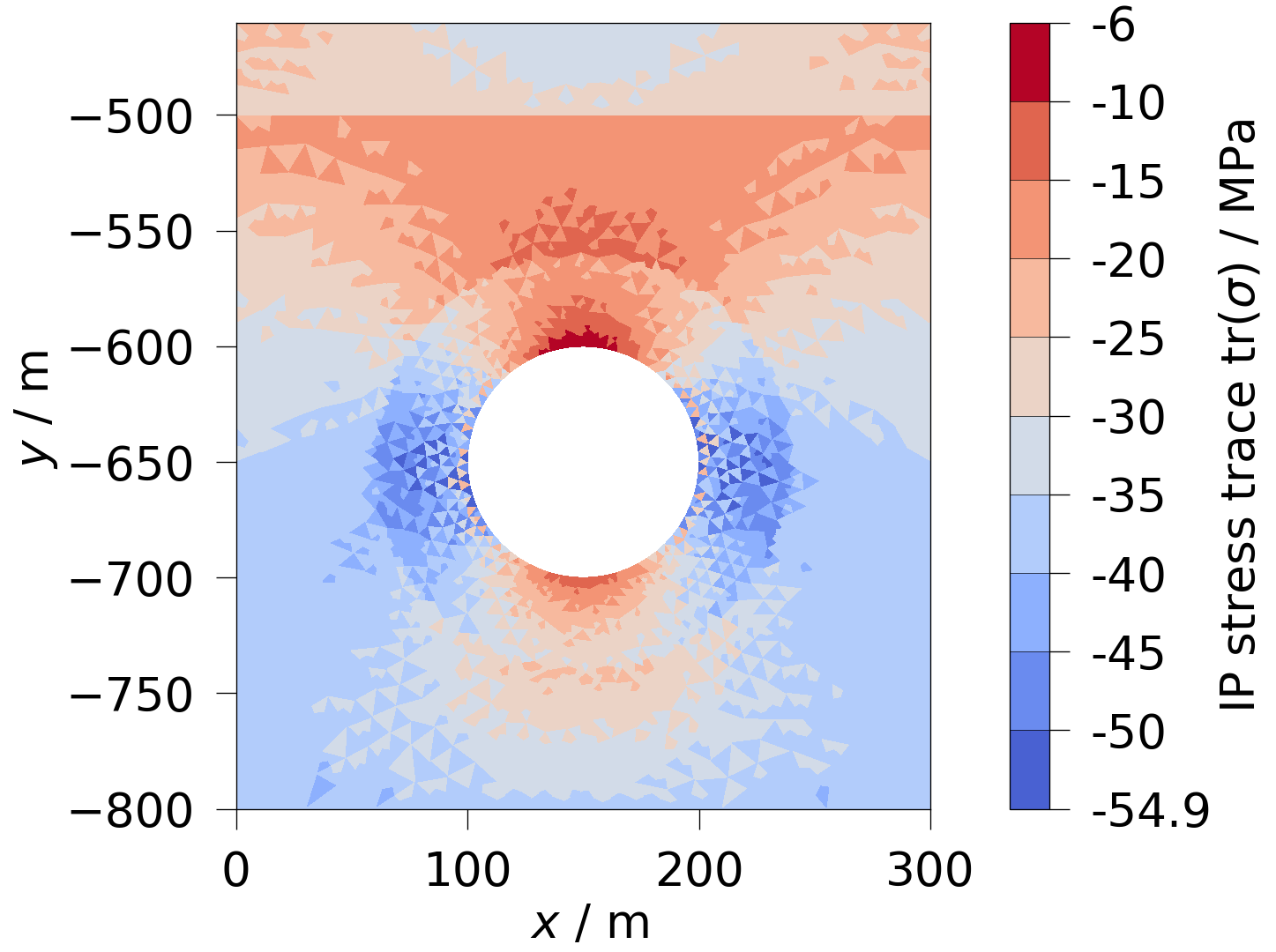
Sometimes it might be needed to modify only the integration point data of a specific material group. Here, top part of the mesh has material id 0, while the rest has id 1. We now modify the horizontal integration point stress of the top material.
ip_cloud = ot.mesh.to_ip_point_cloud(mesh)
cell_map = mesh.find_containing_cell(ip_cloud.points)
ip_mat_ids = mesh["MaterialIDs"][cell_map]
ip_data["sigma_ip"].values[ip_mat_ids == 0, 0] -= 10e6
We can see, that the above modifications are reflected in the mesh.
with np.printoptions(precision=2):
    print(ip_data.info)
{'sigma_ip': IPdict(order=2, num_components=4, values=
pyvista_ndarray([[ -7987910.41, -18461460.32, -10186589.92,   2921306.85],
                 [ -7640889.57, -18208899.37,  -9853812.67,   2937028.72],
                 [ -7602079.8 , -18188409.8 ,  -9817763.32,   2940074.05],
                 ...,
                 [-11281262.73, -10831452.68,  -3367376.43,     54694.16],
                 [-11058147.92, -10608337.87,  -3144261.63,     54694.16],
                 [-11228033.93, -10778223.88,  -3314147.64,     54694.16]],
                shape=(6960, 4))),
 'epsilon_ip': IPdict(order=2, num_components=4, values=
pyvista_ndarray([[ 0., -0.,  0.,  0.],
                 [ 0., -0.,  0.,  0.],
                 [ 0., -0.,  0.,  0.],
                 ...,
                 [ 0., -0.,  0.,  0.],
                 [ 0., -0.,  0.,  0.],
                 [ 0., -0.,  0.,  0.]], shape=(6960, 4))),
 'new_scalar': IPdict(order=2, num_components=1, values=
array([0., 0., 0., ..., 0., 0., 0.], shape=(6960,))),
 'new_tensor': IPdict(order=2, num_components=4, values=
array([[1, 1, 1, 0],
       [1, 1, 1, 0],
       [1, 1, 1, 0],
       ...,
       [1, 1, 1, 0],
       [1, 1, 1, 0],
       [1, 1, 1, 0]], shape=(6960, 4)))}
Remove a material group#
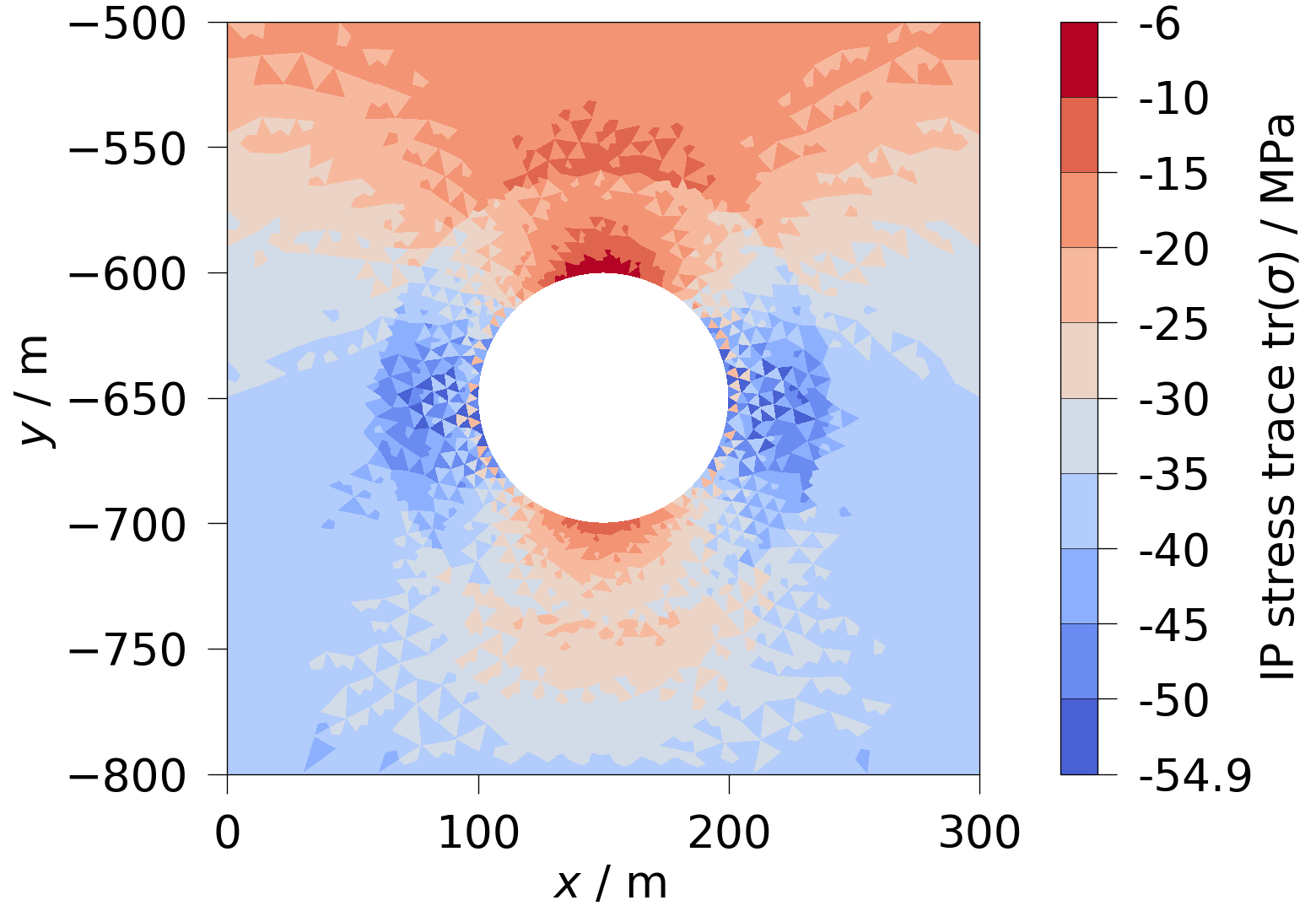
The following code recipe removes a material group from the mesh and updates the integration point data accordingly.
modified = mesh.threshold([1, 1], scalars="MaterialIDs")
cell_map = modified.find_containing_cell(ip_cloud.points)
# -1 marks those points, where no cell ws found, i.e. those which got removed.
mask = cell_map[cell_map != -1]
for data in ot.mesh.IPdata(modified).values():
    data.values = data.values[mask]
Total running time of the script: (0 minutes 1.192 seconds)
